


ABC7 Chicago
4.13.74K Reviews
App Specs
- Version
- Varies with Device
- Updated On
- License
- Free
- Downloads
- 500,000+
- Developer
- Disney
- Categories
- News & Magazines
- Platform
- Android, iOS
Screenshots
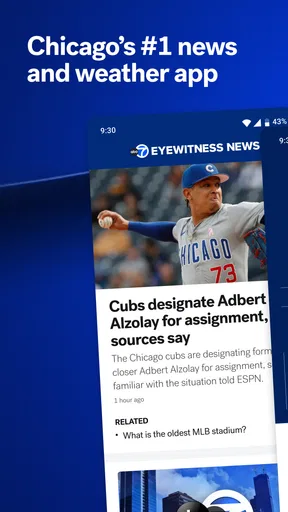
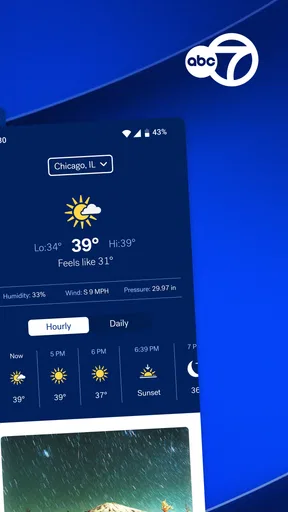
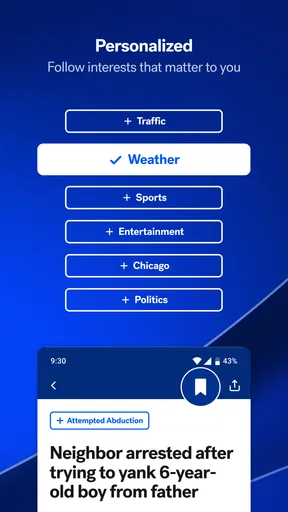
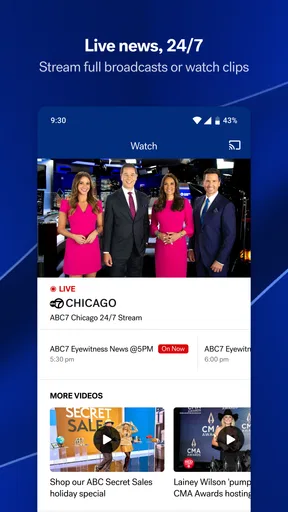

 Analysis by AppCompare
When I want a quick sense of what is happening around Chicago, I look for a local source rather than a broad national feed. ABC7 Chicago is built around that need: it is a free news app from Disney, and its focus makes it most useful when Chicago-area reporting matters more to me than an endless stream of headlines from everywhere. The appeal is practical, not complicated: open it to catch up, or use its news and weather alerts to know when something important is unfolding.
What free access means in practice
The app is listed as free, so there is no purchase price to weigh before trying it. That makes the decision fairly low-risk for someone who wants to see whether ABC7’s local coverage fits their routine. I would treat “free” as a description of access, not as a promise about every possible cost or viewing condition; the useful point is that installing the app does not require an upfront purchase.
Its audience is substantial, with over 500,000 installs and an average rating of 4.1 from around 13,000 ratings. Those figures suggest that it has found a real audience, but they do not tell me whether its mix of local reporting and alerts will suit my own habits. I’d use the free access to make that call: try it during an ordinary week, notice whether the coverage is relevant, then decide whether it earns a place on the home screen.
Local reporting is the main reason to keep it
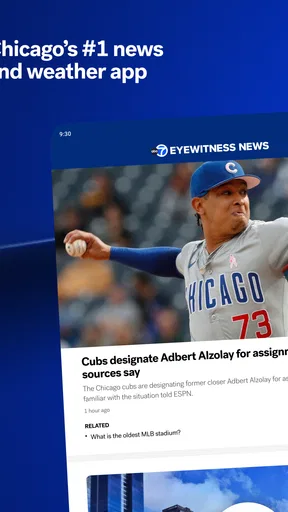
The strongest case for a city-focused news app is relevance. A national news app can cover major events well, but it may not give Chicago neighborhoods the same attention. ABC7 Chicago’s local identity gives readers a more direct path to stories tied to the city and its surrounding area. If I live nearby, commute into Chicago, or have family there, that focus can make a short check-in more useful than scrolling through a general feed.
The app sits in the news and magazines category, but I would judge it less like a digital newspaper subscription and more like a local companion for quick updates. The store summary emphasizes streaming news alongside customized breaking-news and weather alerts. That combination is valuable when I want both a place to watch coverage and a way to hear about changing conditions without repeatedly checking a feed.
Alerts work best when I treat them as a filter
Breaking alerts can save time, but they can also become noise if every topic is allowed to interrupt the day. I’d start with a narrow selection of the subjects or situations I genuinely want surfaced, then adjust only after seeing what arrives. That is a more useful way to assess customization than turning on every alert at once and blaming the app for an overloaded lock screen.
For example, someone who commutes through the city might value timely weather notices more than a steady stream of general headlines. A resident following a developing local story may make the opposite choice for a few days, then scale back. The practical benefit is not simply receiving notifications; it is shaping them around when a phone interruption is worth it.
Worth Reading Before You Choose

EA SPORTS FC Mobile 26 Is a Bigger Football Game, but It Takes Time

Flipboard Shows What News Apps Must Do Beyond the Feed

Switching to Android Auto Means Rethinking Your Driving Routine

Google Calendar Makes a Crowded Week Easier to Manage

Ludo King Makes the Most of the Minutes Between Plans

Baby Panda World Brings Quick Play to Modern Phones, but Its Game Library Feels Busy
Where it fits beside other news options
I would not use a city-specific app as my only source for every subject. A national news app is usually the better choice for a broad overview of international affairs, while a weather-focused service may suit someone who wants forecasts and radar above all else. ABC7 Chicago makes more sense when local coverage is the reason I am opening an app in the first place.
It can also sit alongside a TV broadcast rather than replace every way of following the news. If I have time to watch a longer report, streaming is appealing; if I only have a moment, a short visit to the app is more convenient. The trade-off is that a focused local source naturally has a narrower job than a general-purpose news reader. That focus is an advantage for Chicago updates and a limitation for someone seeking one app to cover every region and topic.
Who is likely to get the most from it
I’d recommend giving it a try if Chicago is part of your daily life, whether you live there, travel through it, or keep up with people and events in the area. It may also suit someone who prefers hearing about local developments from a familiar broadcaster instead of relying entirely on social feeds, where context and source quality can vary from post to post.
On the other hand, I would skip it if I rarely need Chicago news and already have a dependable source that covers the places and subjects I care about. A city-centered feed can feel repetitive or irrelevant when the city is not part of your routine. It is also not the best single choice for a reader whose main goal is international reporting, deep specialist coverage, or a dedicated forecast tool.
Age suitability and everyday use
The app is rated for Everyone 10+, so I would keep that age guidance in mind when deciding whether it is appropriate for a younger reader. News can include serious real-world subjects, and an age label does not replace a parent’s judgment about what a particular child is ready to encounter. For adults, the more relevant question is whether local updates are useful often enough to justify keeping another news app installed.
A realistic routine might be checking headlines over breakfast, then relying on a carefully chosen alert if weather or a developing local event could affect the day. That approach lets the app complement a person’s schedule instead of turning every quiet moment into another news session. I would avoid treating notifications as a substitute for checking the full story: an alert is a prompt to look, not necessarily enough context to understand what happened.
What to check before making it a daily habit
Before settling in, I’d spend a few minutes learning where the local reporting and alert controls are, then revisit those choices after a couple of days. This simple test reveals whether the app’s coverage matches the neighborhoods and topics I actually follow. It also helps answer a common practical question: does it fit my routine better as an occasional check-in or as a source I want to consult throughout the day?
Another useful habit is to compare an alert with the full report before sharing it. Breaking coverage can develop as details emerge, so reading beyond a notification is a sensible way to avoid passing along an incomplete impression. I would also keep another source available for a wider view when a story reaches beyond Chicago. That is not a knock on a local app; it is a smart division of labor between focused reporting and broader coverage.
First Impressions and Interface
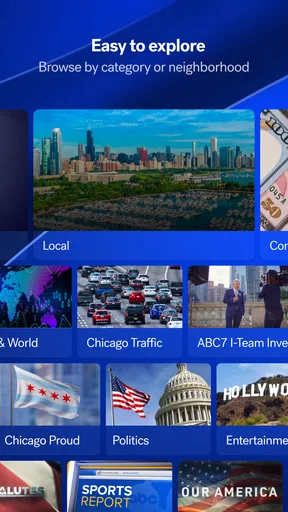
The moment you open the ABC7 Chicago app, you're greeted with a clean, straightforward interface that screams user-friendly. The layout is intuitive, making it super easy to navigate through different sections like news, weather, and local events. The color scheme is pleasant, with clear fonts and icons, ensuring that everything is easy on the eyes.
One thing I loved right off the bat was how quickly the app loads. You're not stuck staring at a loading screen for ages—everything is just a tap away. This is a big deal for anyone who wants their news fast and without fuss.
News Coverage and Updates
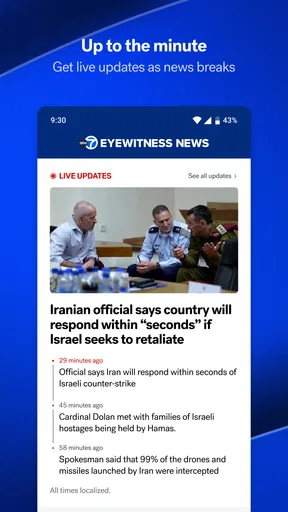
The app truly shines when it comes to providing up-to-date news coverage. You get a wide array of stories ranging from local news, national headlines, to weather updates. The news articles are concise yet informative, which is perfect for staying informed without feeling overwhelmed.
Another great feature is the push notifications. You can customize these to suit your preferences, ensuring you only get alerts for the topics you care about. I found this super handy since I could stay updated on breaking news without my phone buzzing incessantly.
Weather and Traffic Reports
Living in a city like Chicago, where the weather can change in a heartbeat, having reliable weather updates is crucial. The app provides detailed weather reports that include hourly updates, a 7-day forecast, and even radar images. It’s like having a mini meteorologist in your pocket!
Traffic updates are another big plus. The app provides real-time traffic conditions, which has saved me from countless jams. It even offers alternative routes, which is a godsend during rush hour.
Local Events and Community Focus
What sets the ABC7 Chicago app apart is its focus on local events and community stories. It’s not just about the major headlines; the app dives into neighborhood stories and events, making it a valuable tool for anyone wanting to stay connected to the community.
There’s a dedicated section for community stories, highlighting everything from local heroes to upcoming events. It’s a nice touch that adds a personal feel to the app, making it more than just a news source.
Video Content and Live Streaming
If you're someone who prefers watching over reading, the app has you covered with a robust video section. You can watch news clips and even live-stream broadcasts directly from your phone. The quality is excellent, with minimal buffering, which is perfect for catching up on the go.
The live-streaming feature means you never have to miss out on important broadcasts, whether it’s the evening news or special reports. It’s like having a portable TV right in your hand.
Overall, the ABC7 Chicago app is a must-have for both locals and anyone interested in staying updated on Chicago news. Its user-friendly interface, comprehensive news coverage, and focus on local events make it a standout choice in the sea of news apps. With its seamless integration of weather and traffic reports, along with engaging video content, it’s designed to keep you informed and connected. Whether you’re sipping coffee at home or on a crowded train, this app ensures you’re always in the loop, making it a worthy addition to your mobile arsenal.
My verdict on whether to install it
I’d try it if Chicago news is part of my day and I want a free, local source with alerts and streaming in one place. The app’s 3,700 reviews add another signal that people have spent time with it, though review volume alone cannot predict whether its style suits me. For a casual reader, the best test is simple: install it, keep alerts selective, and see whether the reporting helps with real decisions rather than merely adding more notifications.
If I were choosing just one app for worldwide headlines or detailed forecasting, I’d pick a broader news service or a dedicated weather tool instead. But for someone who wants Chicago in the foreground, the narrow focus is the point. My recommendation is to treat it as a useful local layer, not a replacement for every source you rely on.
Pros
- User-friendly interface with intuitive navigation.
- High-quality video streaming with minimal buffering.
- Timely notifications for breaking news updates.
- Customizable alerts for personalized news topics.
- Access to live broadcasts and local events.
Cons
- Limited offline access to saved articles.
- Occasional in-app advertisement interruptions.
- Requires a stable internet connection.
- Some features may need account registration.
- Region-specific content may limit global news.
FAQs for ABC7 Chicago
What features does the ABC7 Chicago app offer?
The ABC7 Chicago app provides users with live streaming news, weather updates, and on-demand video clips. It also includes push notifications for breaking news, an interactive weather radar, and personalized alerts. Users can access local news stories, investigative reports, and special programming, making it a comprehensive resource for staying informed about events in the Chicago area.
Is the ABC7 Chicago app free to use?
Yes, the ABC7 Chicago app is free to download and use on both Android and iOS devices. While the app itself doesn’t require a subscription, it may include ads. Users can enjoy a wide range of content without any hidden fees, ensuring easy access to the latest news and weather updates.
How accurate are the weather forecasts on the ABC7 Chicago app?
The ABC7 Chicago app provides weather forecasts that are updated frequently, utilizing data from trusted meteorologists and advanced radar technology. Users can expect accurate and timely information, including current conditions, hourly forecasts, and a 7-day outlook. The interactive radar feature also helps users track weather patterns effectively.
Can I customize notifications on the ABC7 Chicago app?
Yes, the ABC7 Chicago app allows users to customize notifications to suit their preferences. You can choose to receive alerts for specific categories such as breaking news, weather updates, or traffic conditions. This customization ensures that you only receive the information that matters most to you, without unnecessary interruptions.
Does the ABC7 Chicago app support offline viewing?
Currently, the ABC7 Chicago app does not support offline viewing. Users need an active internet connection to access live streams, news updates, and video content. However, the app is optimized for both Wi-Fi and mobile networks, ensuring smooth streaming and quick loading times while connected.


